hexo使用
Welcome to Hexo! This is your very first post. Check documentation for more info. If you get any problems when using Hexo, you can find the answer in troubleshooting or you can ask me on GitHub.
Quick Start
Create a new post
1 | $ hexo new "My New Post" |
More info: Writing
Run server
1 | $ hexo server |
More info: Server
Generate static files
1 | $ hexo generate |
More info: Generating
Deploy to remote sites
1 | $ hexo deploy |
More info: Deployment
使用图片
可以将图片放到 source/images 目录下面即可,然后在文章中使用markdown语法访问他们, 参考 资源文件夹

效果如下:
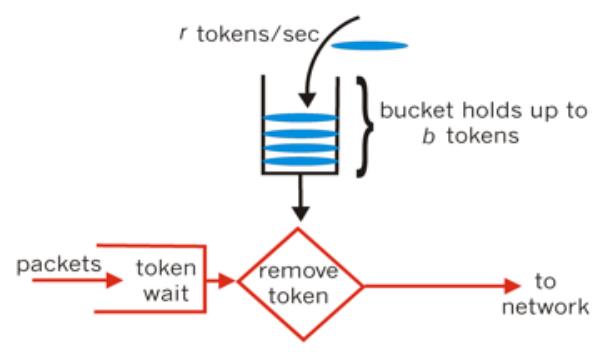
网址
按照官网文档上 配置 的说明,配置后,部署到username.github.io 之后,发现访问时部分资源加载失败。
感觉这种方式仅适合项目页面,参考
因为username.github.io里面的内容部署完成之后,地址是 https://username.github.io
网站存放在子目录
如果您的网站存放在子目录中,例如 http://example.com/blog,则请将您的 url 设为 http://example.com/blog 并把 root 设为 /blog/。
上面的 blog 应该是github上对应的repo的名称